ottershelf
Ottershelf
Ottershelf is an open-source Android app for reading, tracking and annotating the books on a self-hosted BookOrbit server. It opens EPUB and the other ebook formats, PDFs and comics from your server, keeps books on the phone for offline reading, syncs your reading position and sessions back to the server, and brings BookOrbit’s dashboard, statistics, highlights and achievements to a native Kotlin and Jetpack Compose interface. It requires your own BookOrbit server (or an account on one); it contains no server, no store and no books of its own.
Ottershelf is a modified version of BookOrbit and is not an official BookOrbit release. It is not affiliated with, approved, sponsored or endorsed by the BookOrbit project.
Screenshots
 |
 |
 |
 |
 |
 |
Features
Reading
- Ebooks (EPUB, KEPUB, MOBI, AZW3, AZW, FB2) in a reader built on foliate-js: pages or continuous scrolling, page-turn animation, text size, line spacing, margins, the book’s own font or a serif or sans-serif one, justification, hyphenation, page colours (the app’s theme, original, sepia, dark, black or a custom colour), table of contents and full-text search.
- PDF: continuous or single-page layout, fit to width or page, night mode (inverted colours), outline, search and password-protected files, with per-book or default settings.
- Comics (CBZ, CBR, CB7): paged, infinite or gapless vertical scrolling (for webtoons), left-to-right or right-to-left, two-page spreads, fit modes and pinch zoom, and the next issue of a series at the end.
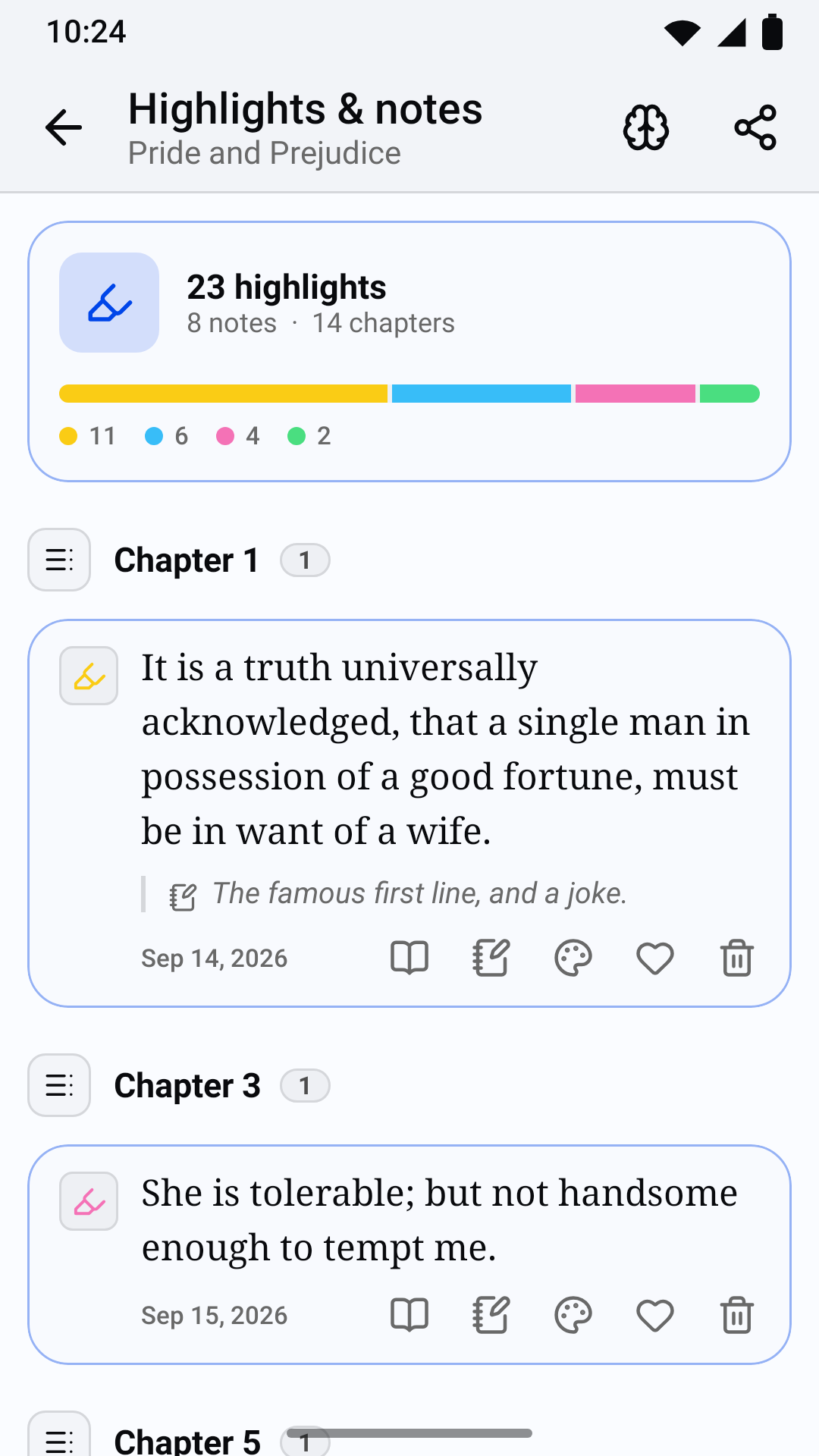
- Highlights, notes and bookmarks in the ebook reader: ten colours and four highlight styles, a note on any highlight, bookmarks, and a sheet listing them by chapter.
- Look up a selected word or phrase in Wiktionary and Wikipedia, or hand it to a dictionary or translation app installed on the phone.
- Offline reading: download any book (except CBR and CB7 comics, which the server unpacks page by page) and read it without a connection. Downloads continue in the background with a progress notification.
- Progress sync: your position and reading sessions are sent to your server, queued while you are offline and sent when the connection returns. If another device moved on in the meantime, you choose which position to continue from.
Library
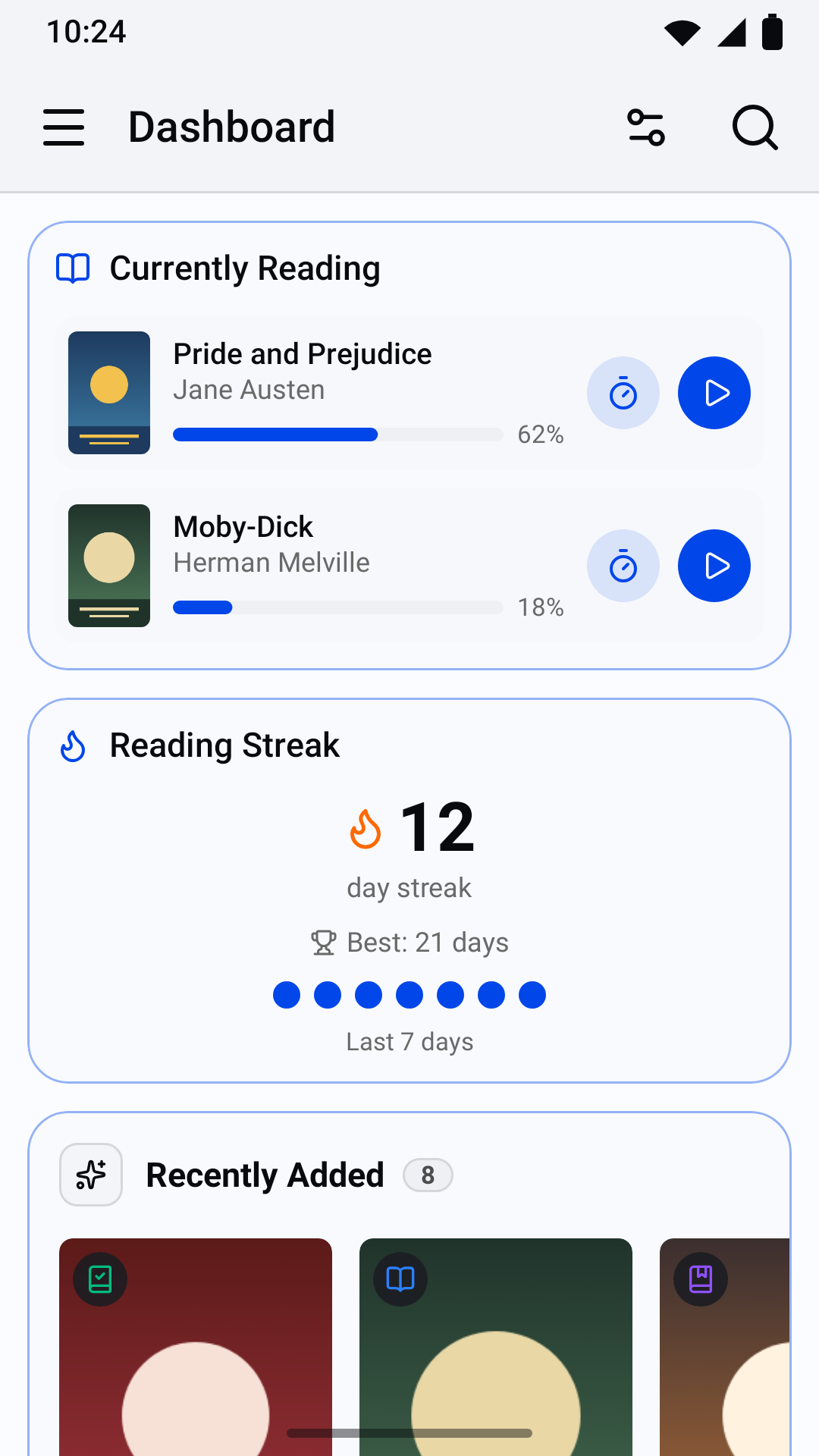
- Dashboard with BookOrbit’s widgets (Currently Reading, Reading Streak, Reading Goal, Reading Rhythm, Library Overview and others) and shelves (Continue Reading, Want to Read, Up Next in Series, Discover Something New, Recently Added, Smart Scope shelves), which you can show, hide and reorder.
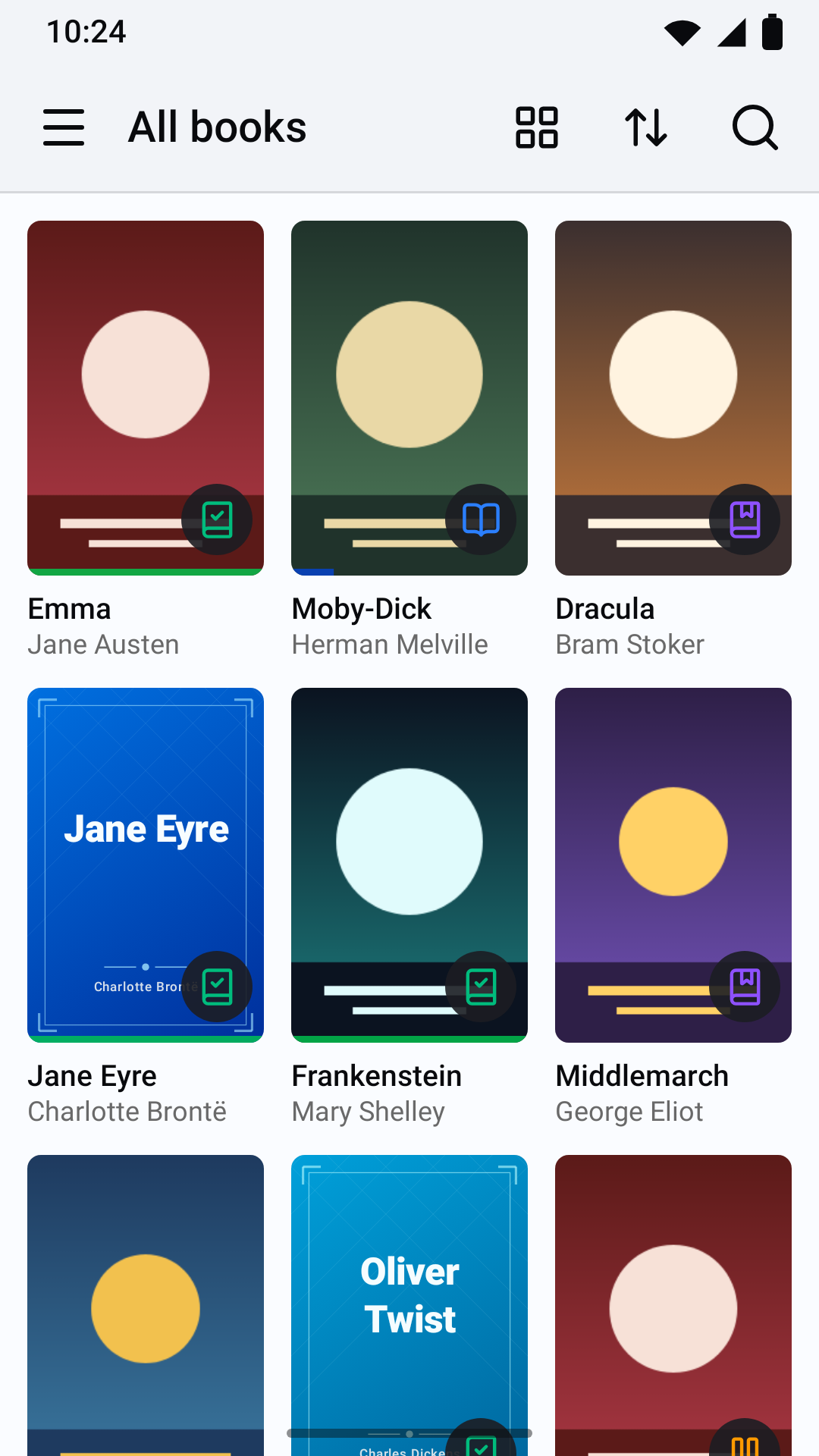
- All books, libraries, smart scopes, collections, authors and series, with search, sorting (title, author, series, date added, last read, published, read status) and filters (reading only, hide read, hide unread), remembered per list.
- Grid or list views; pinch the grid to change how many covers fit in a row; long-press a book for a quick view.
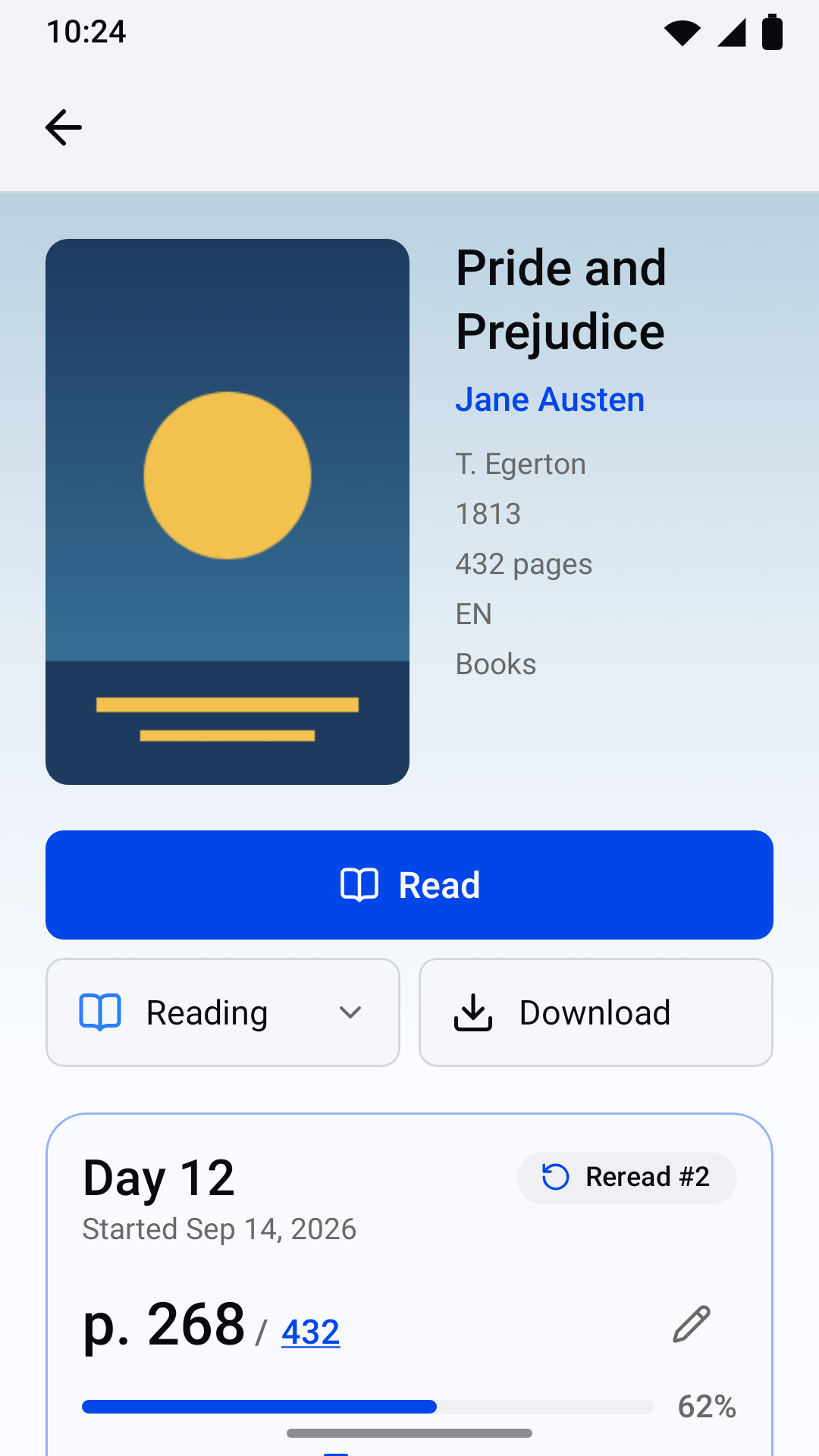
- Book pages with details, files and formats, read status, your rating, a private review, reading log and downloads.
- Next in series: when you finish a book, the next unread volume is suggested (can be turned off).
- ISBN scanning: scan the barcode of a paper book to find your library’s copy, or see what metadata providers know about it and request it.
- Book requests: search your server’s metadata providers, request a book and follow your requests (for accounts with request access).
- Metadata editing: change a book’s title, authors, series and number, and its cover (a photo, an image from the Photo Picker, or a cover found online through your server), for accounts with the permission to edit metadata.
Tracking
- Reading timer: count up or count down, with a notification to pause, resume or stop it that returns after a restart; save the session with the page you reached.
- Reading log: log sessions by hand, move or delete them, record past reads and rereads with their start and finish dates.
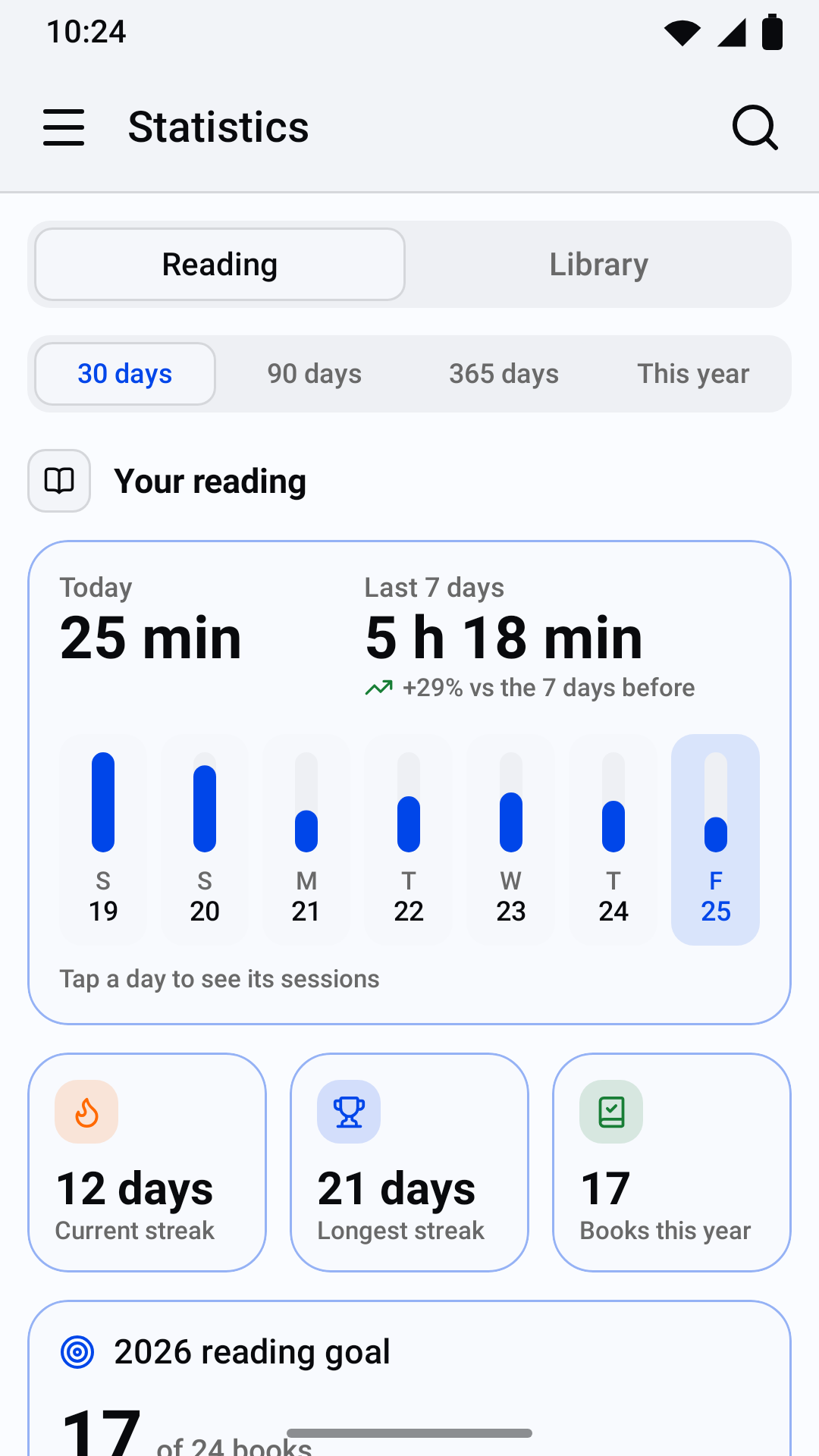
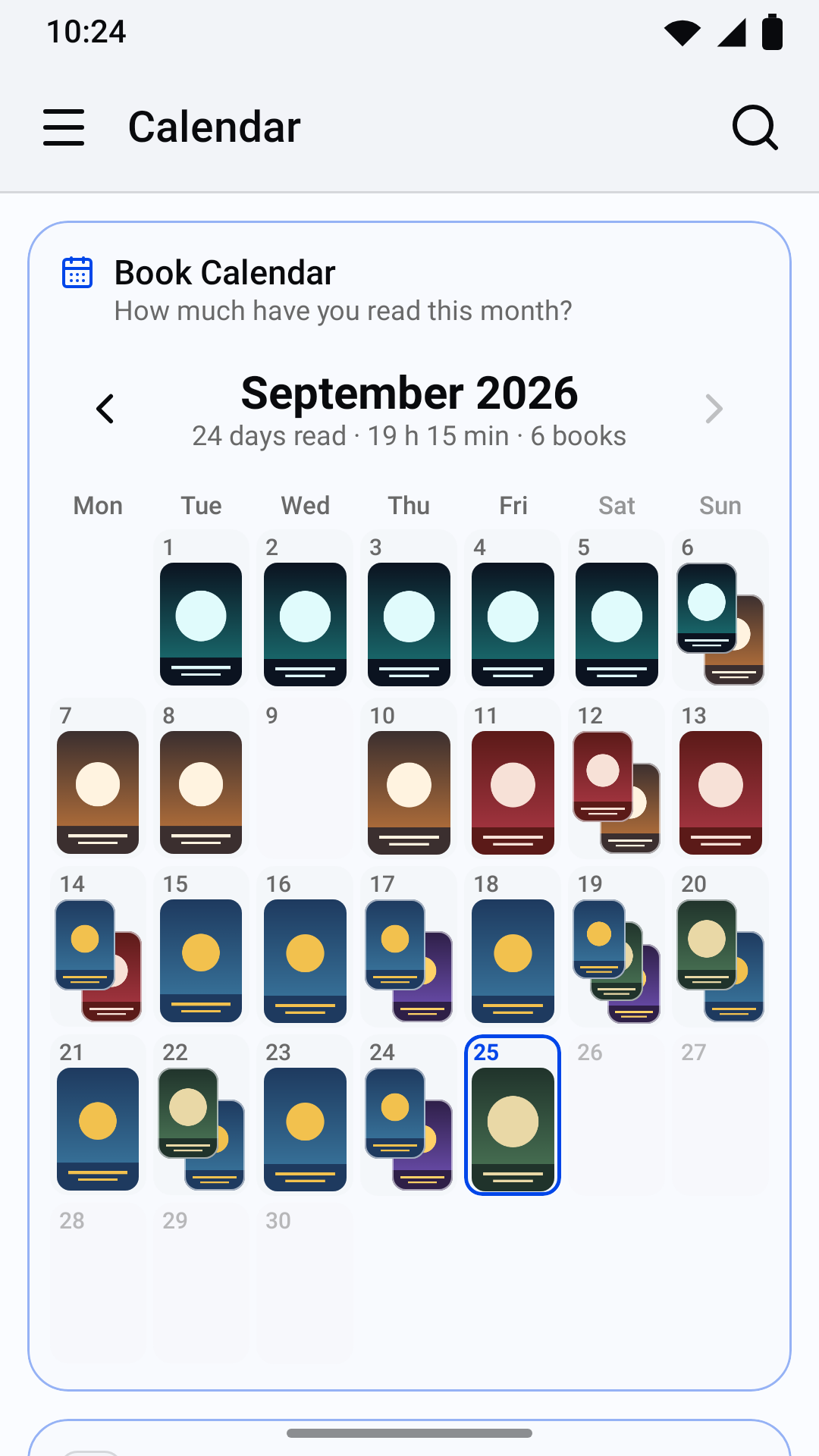
- Calendar of the books you read each day (a month can be saved as an image), history of every reading, statistics (reading and library charts), reading goals (daily minutes and books per year), achievements and a year in review.
- Highlights and notes across all books: filter by book, colour, notes or liked, a random note, a memorize mode, export as Markdown, and share a highlight as an image card.
- Quotes: type a quote from a paper book, or photograph the page and pick the lines to keep (text recognition runs on the phone, English only).
Appearance
- Light, dark or system theme, accent colours, corner radius, surface opacity, dark-mode brightness and background patterns, kept on the device or synced with your BookOrbit account.
Requirements
- An Android phone running Android 12 or later (API level 31).
- A BookOrbit server reachable over HTTPS with a certificate trusted by Android’s system
certificate store, and an account on it. Plain
http://addresses are refused, and certificates from user-installed certificate authorities are not trusted. - Ottershelf talks to BookOrbit’s REST API (
/api/v1). It was built and tested against the BookOrbit source of 23 September 2026 (upstream commit1dd29c7) [BookOrbit release version]. Older servers may lack routes it uses; newer ones may change them. - Some features depend on your account’s permissions on the server: book requests need request access, and metadata editing and ratings need the permission to edit metadata.
Install
- Google Play (testing): [Google Play testing link]
- GitHub releases: signed APKs are attached to each release at
https://github.com/redmundmcmund/ottershelf/releases. The release signing certificate’s
SHA-256 fingerprint is
99:3B:5B:6A:81:9E:7E:22:A3:60:C9:96:CD:1F:D8:BA:93:9E:5C:BF:63:EA:A9:B6:F4:EF:9A:8F:0F:68:54:D6.
The Play and GitHub builds use the same package ID (io.github.ottershelf) and the same signing
key: the project’s own key is also the app signing key on Google Play (Play App Signing with an
uploaded key), so either build can update the other without reinstalling.
Building from source
You need JDK 21 and the Android SDK (compile SDK 37). The Gradle wrapper downloads the matching Gradle version.
./gradlew assembleDebug          # debug APK: app/build/outputs/apk/debug/
./gradlew bundleRelease          # release App Bundle: app/build/outputs/bundle/release/
./gradlew assembleRelease        # release APK (unsigned unless a signing key is configured)
./gradlew testDebugUnitTest      # JVM and Robolectric unit tests
./gradlew verifyRoborazziDebug   # screenshot tests against recorded images
./gradlew recordRoborazziDebug   # record the screenshot images again
On Windows, use gradlew.bat in place of ./gradlew.
Signing. The repository contains no keys, passwords or other secrets. A release build is
signed only when a properties file outside the repository provides the key: the file named by the
Gradle property ottershelf.keystore (for example -Pottershelf.keystore=/path/to/keystore.properties),
or else ~/.ottershelf/keystore.properties. It holds four values:
storeFile=release.jks        # relative to this file's folder, or an absolute path
storePassword=...
keyAlias=...
keyPassword=...
Without the file, or with a value missing (a build warning names it), assembleRelease produces
an unsigned APK and everything else, including the debug build and the tests, works as usual.
.gitignore excludes *.jks, *.keystore, *.p12 and keystore.properties.
Project structure
| Path | Contents |
|---|---|
app/src/main/java/.../core/ |
Data layer: API client and models, session and token encryption, sync, downloads, tracking, settings, theme preferences |
app/src/main/java/.../ui/ |
Navigation shell, theme, icons and shared Compose components |
app/src/main/java/.../feature/ |
One package per feature: login, home, library, book, reader, pdf, comics, downloads, notes, quotes, scan, requests, bookedit, seriesnext, timer, calendar, history, stats, achievements, settings |
app/src/main/assets/foliate/ |
foliate-js (from BookOrbit’s copy, modified) and its vendored libraries |
app/src/main/assets/reader/ |
The ebook reader’s page and its bridge to the app |
app/src/test/ |
Unit, Robolectric and Roborazzi screenshot tests |
app/src/androidTest/ |
On-device tests (see CONTRIBUTING.md) |
tools/ |
Icon generation, device-test runner, reader script tests |
docs/brand/ |
Artwork and icon sources |
fastlane/metadata/ |
Store listing texts and images |
docs/play/ |
Google Play Console drafts |
ARCHITECTURE.md describes the packages, patterns and conventions in detail.
Privacy
Ottershelf has no analytics, advertising, crash reporting or tracking of any kind, and contains no third-party SDK that collects data. It connects only to the server address you type and, only when you tap Look up on selected text, to Wiktionary and Wikipedia, through a separate connection that never carries your account’s token. The camera is used only when you choose to scan an ISBN, photograph a page for a quote or take a cover photo; images are processed on the phone, and a cover photo is sent only to your own server, only when you confirm it. Sign-in tokens are encrypted with an Android Keystore key, and the app’s data is excluded from backups. See PRIVACY.md for the full privacy policy.
Licence and attribution
Ottershelf is free software: you can redistribute it and/or modify it under the terms of the
GNU Affero General Public License, version 3 only (AGPL-3.0-only), together with
BookOrbit’s additional terms, as permitted by section 7 of that licence. It
is distributed without any warranty. Copyright notices and the list of modifications are in
NOTICE.
Ottershelf contains material from BookOrbit (its copy of foliate-js, and code ported from its web client and API types). As BookOrbit’s additional terms require:
- The app shows BookOrbit’s attribution under Settings > About Ottershelf, with Powered by BookOrbit linking to https://github.com/bookorbit/bookorbit.
- This is a modified version of BookOrbit and is not an official BookOrbit release. The About screen shows the modification date and links to the complete source of the installed version.
- “BookOrbit” is used only to state the server the app works with and in the required attribution; it is not the app’s name or branding.
Third-party components
Ottershelf is built with open-source components that keep their own licences, including foliate-js, zip.js, fflate, Lucide icons, Jetpack Compose and AndroidX, CameraX, OkHttp, Coil, Telephoto, zxing-cpp and Tesseract. See THIRD_PARTY_NOTICES.md.
Contributing
Bug reports, feature requests and pull requests are welcome. See CONTRIBUTING.md, the code of conduct, and SECURITY.md for reporting vulnerabilities.